

If you are working with Oracle E-Business Suite and need to test whether the Workflow Notification Mailer is configured correctly, sending a test notification to a specific user is the best way to verify it. This guide will walk you through the complete step-by-step process.
Step-by-Step Guide to Send Test Workflow Email
1. Go to site map

2. click on notification mailer

3. click on edit
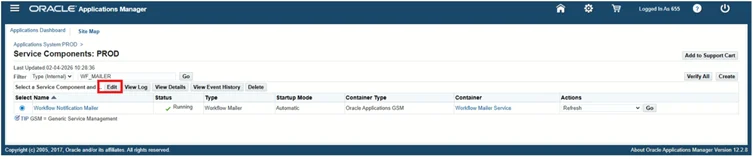
4. click on test mailer

5. click on search button
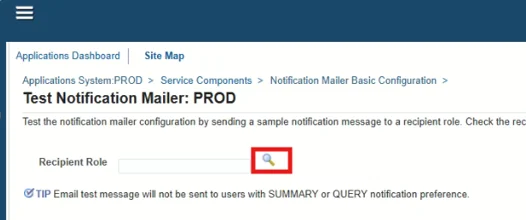
6. search your username
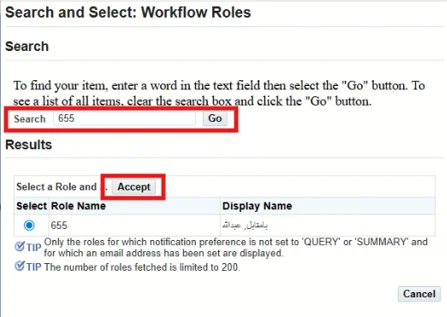
7. click on send message

8. click on ok.

9. Now open toad and run this query:
select * from WF_NOTIFICATIONS order by notification_id desc
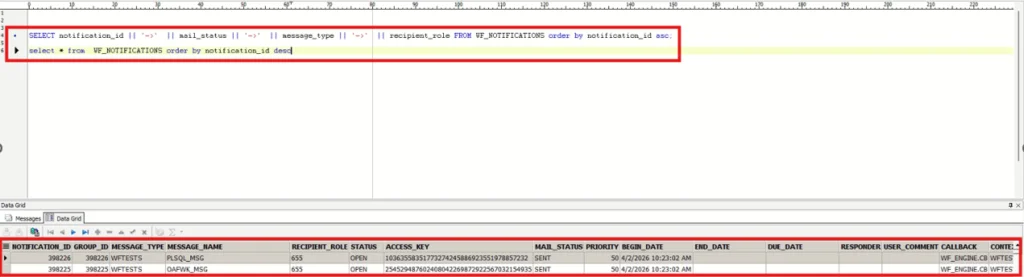
The mail_status will be mail for some time and then it changes to sent which means that it has been sent to the respective user.
Now check your email inbox it should be there.


 Visit Today : 52
 Visit Yesterday : 50
 This Month : 407
 This Year : 9587
 Total Visit : 16983
 Hits Today : 94
 Total Hits : 21733
 Who's Online : 3