
Recently, I was giving training to one of my Junior Database Associate on how to raise a Service Request (SR) for Oracle E-Business Suite (EBS) using the new My Oracle Support (MOS) portal.
Using the upgraded MOS portal this was my first experience too. While working on it, I learned some useful tips and ideas. I felt these tips would be very helpful for new learners and junior DBAs, so I decided to write this blog. I hope this blog will help beginners understand how to raise an SR and get proper help from Oracle Support.
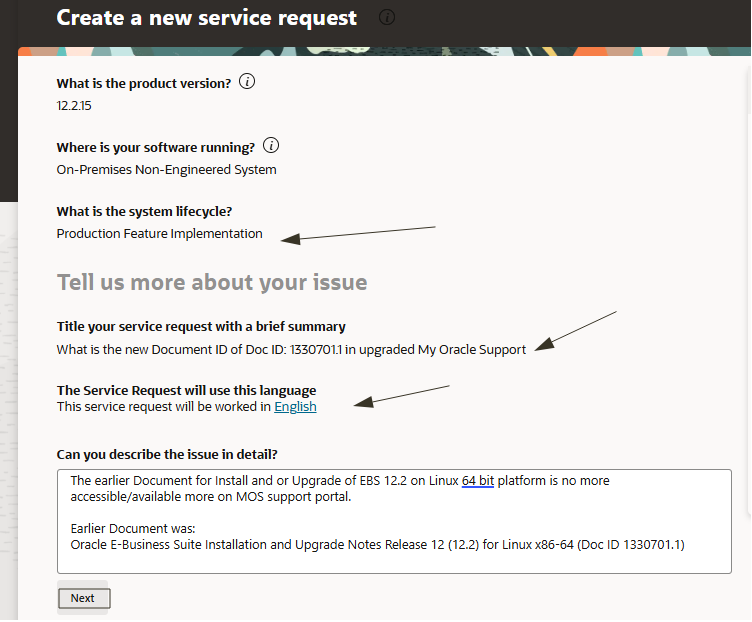
Purpose of My SR was:
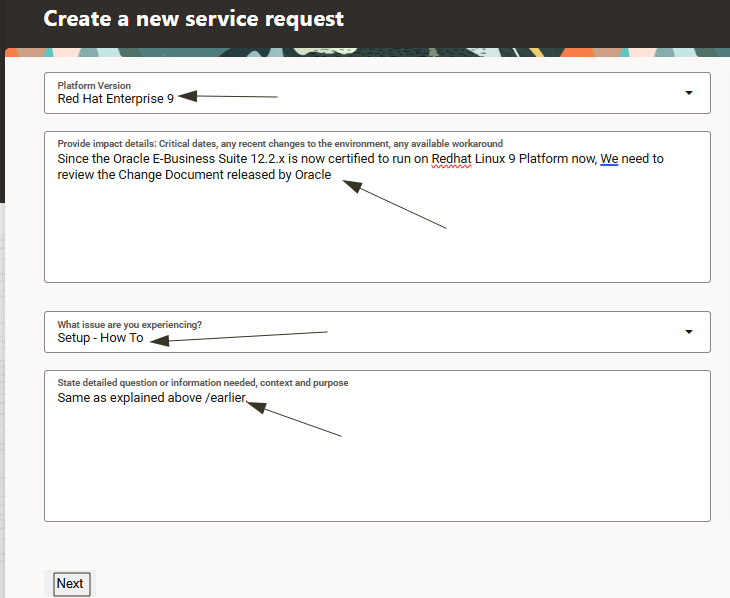
To find the latest Oracle EBS 12.2 Installation Document in light of the Redhat Linux 9.x which has been recently announced certified with EBS 12.2, So I needed to see what are the changes needed and to be carried out in order to bring Oracle EBS environments running on Linux 7 or 8 to latest Linux 9 version.
Old Document Details:
Document Name: Oracle E-Business Suite Installation and Upgrade Notes Release 12 (12.2) for Linux x86-64 ( 1330701.1 )
This document was earlier used for installing or upgrading Oracle EBS 12.2 on Linux 64-bit, but now it cannot be accessed.
So I proceed to achieve 2 goals here :
1. How to raise SR help for new learners
2. Get support from Oracle officially to obtain the new document access.
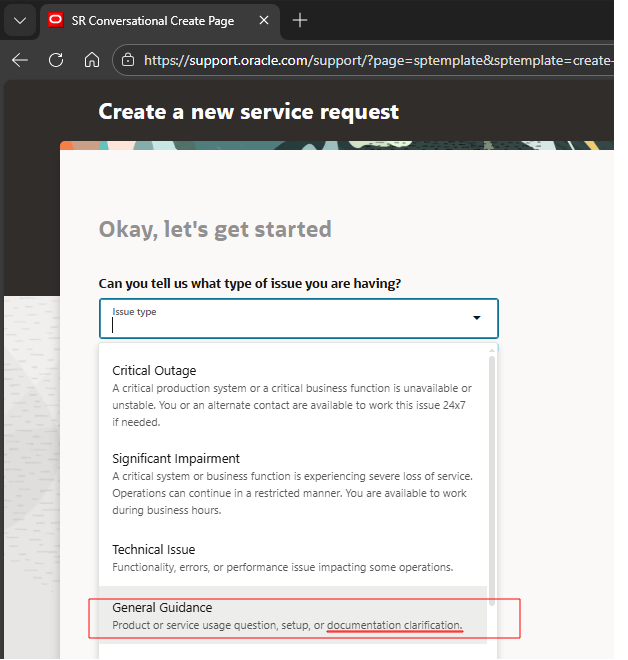
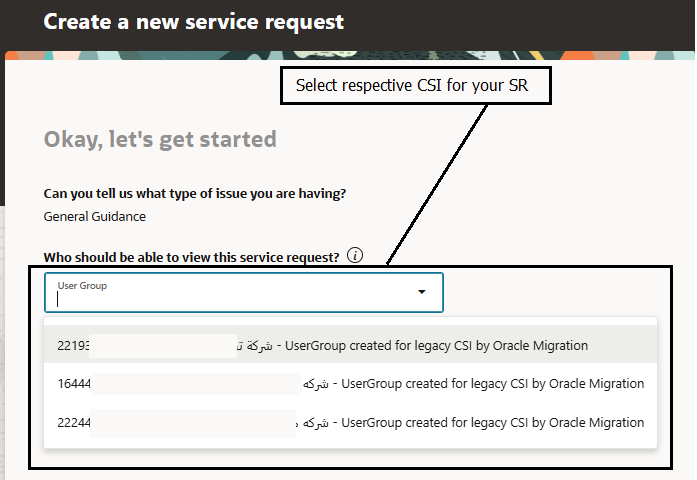
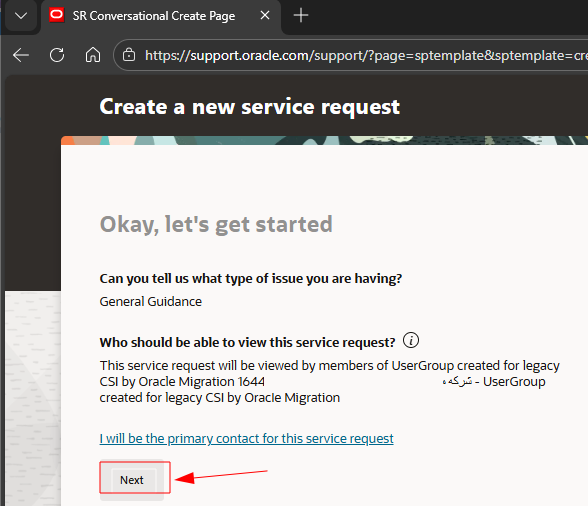
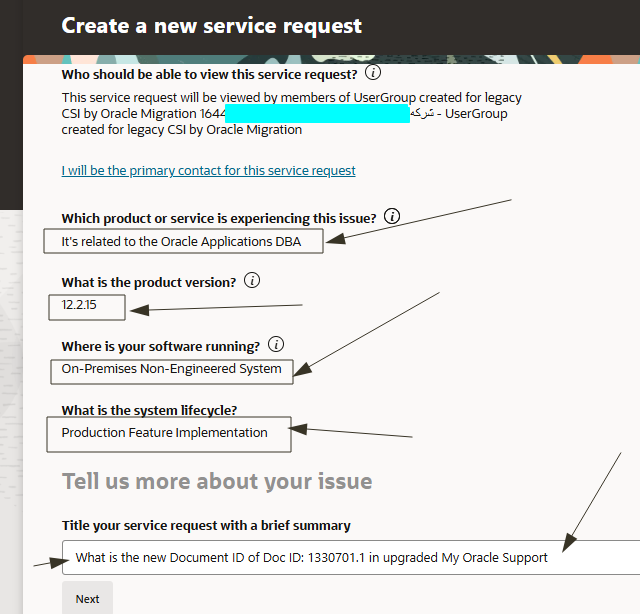
Steps to Raise an SR in MOS (With Screenshots below)
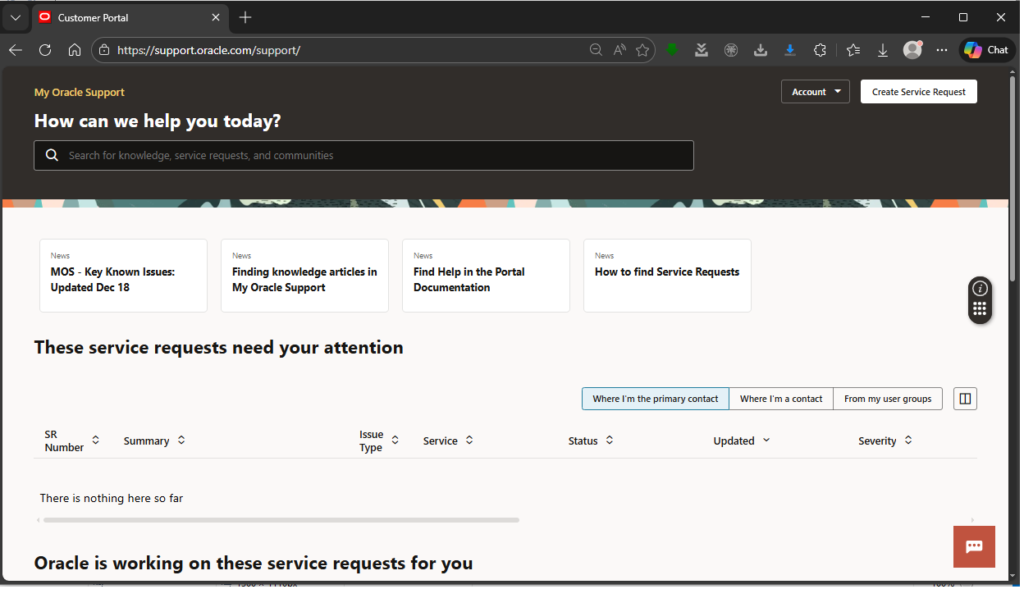
Login to My Oracle Support and you should see below Home Page after successful MFA Login.
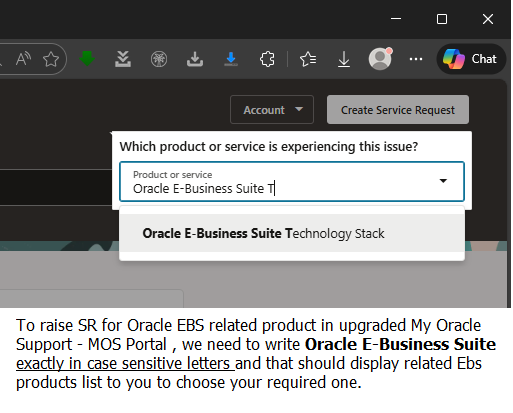
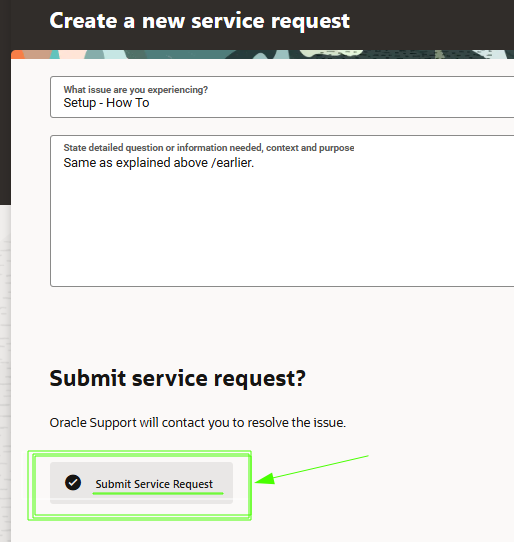
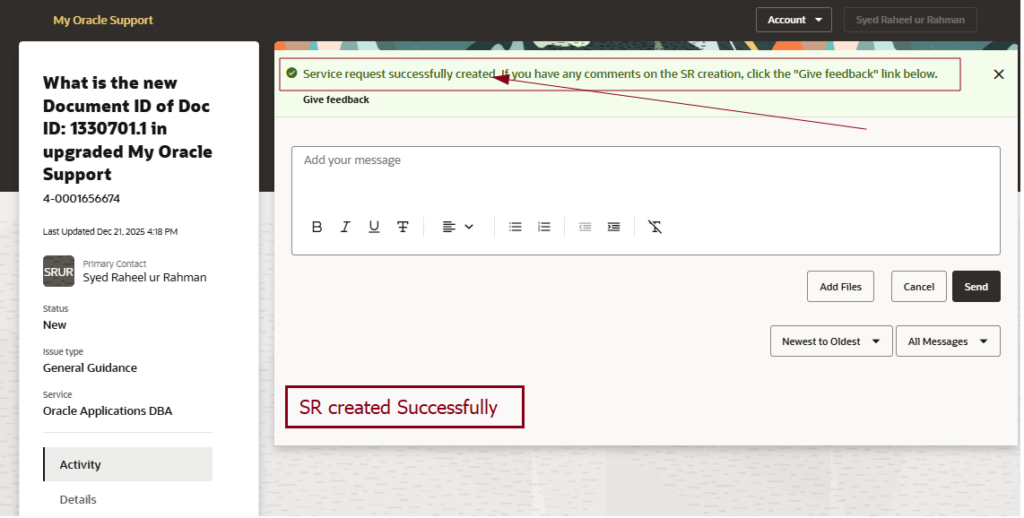
Select the Correct Product and follow the below screenshots below and answer respectively according to your need.
Important Example for Clarification:
Type Product Name in Case Sensitive Alphabets.
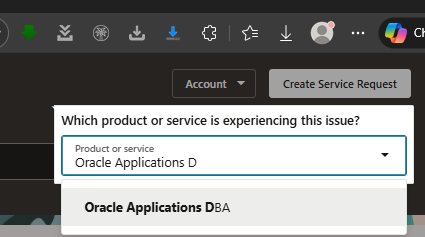
In my case I will be selecting Oracle Applications DBA Team
Conclusion:
Raising an SR in MOS is an important skill for Oracle DBAs, especially for beginners.
Small but important things like:
-Selecting the correct product
-Writing the issue in simple and clear words
-Can help you get faster and better support from Oracle.
I hope this simple guide helps new learners feel more comfortable using My Oracle Support (MOS).
Hope this helps.
Happy Learning Day….


 Visit Today : 52
 Visit Yesterday : 50
 This Month : 407
 This Year : 9587
 Total Visit : 16983
 Hits Today : 100
 Total Hits : 21739
 Who's Online : 1