

In this blog you will find How to send a test workflow email to a specific user
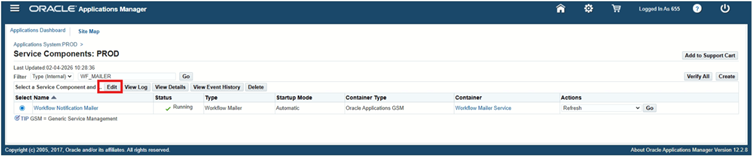
1. Go to site map
2. click on notification mailer
3. click on edit
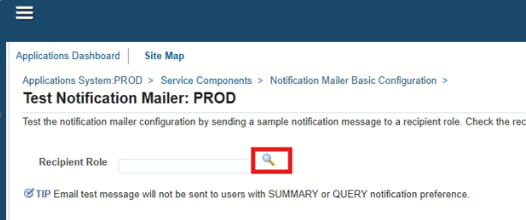
4. click on test mailer
5. click on search button
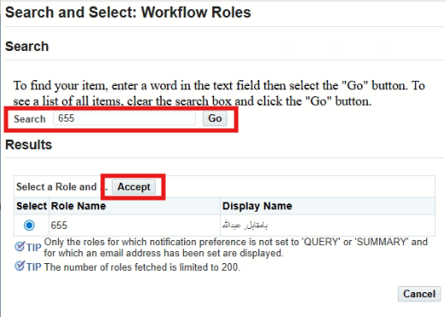
6. search your username
7. click on accept
8. click on send message
9. click on ok.
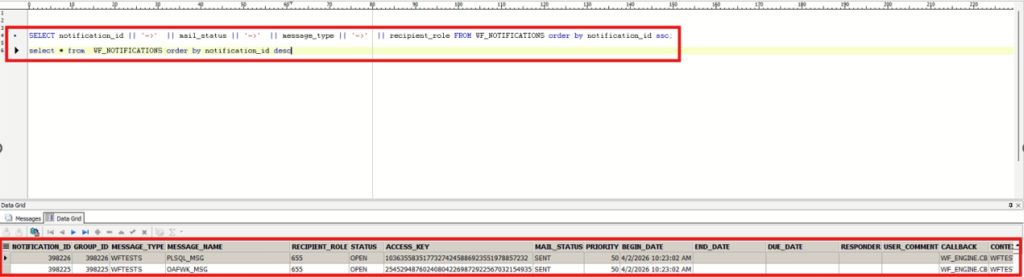
Now open toad and run this query:
select * from WF_NOTIFICATIONS order by notification_id desc
The mail_status will be mail for some time and then it changes to sent which means that it has been sent to the respective user.
Now check your email inbox it should be there.







 Visit Today : 51
 Visit Yesterday : 45
 This Month : 342
 This Year : 2442
 Total Visit : 9838
 Hits Today : 69
 Total Hits : 12933
 Who's Online : 5