
In this blog we are going to discuss how we can restart the service of workflow email
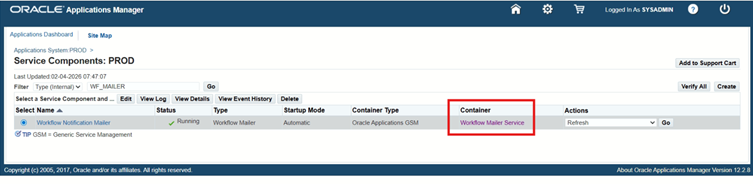
1. Go to site map
2. Click notification mailer
3. Select Workflow Mailer Service
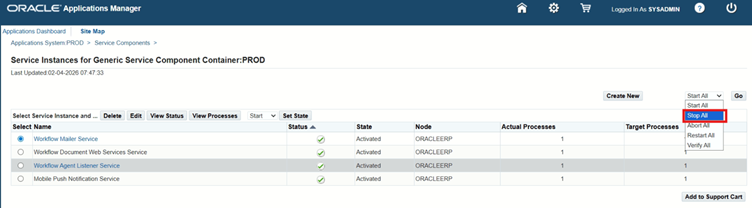
4. Open LOV and click on stop all
5. Click ok
6. Now reload browser until the status set to deactivated
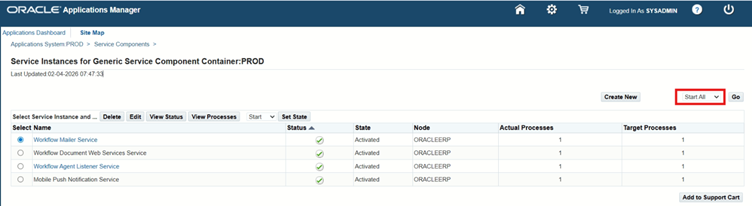
7. Now click on start all



 Visit Today : 50
 Visit Yesterday : 45
 This Month : 341
 This Year : 2441
 Total Visit : 9837
 Hits Today : 64
 Total Hits : 12928
 Who's Online : 4