

In Oracle E-Business Suite, one of the issues faced by EBS administrators is pending concurrent requests stuck in the Output Post Processor (OPP) or Standard Manager.
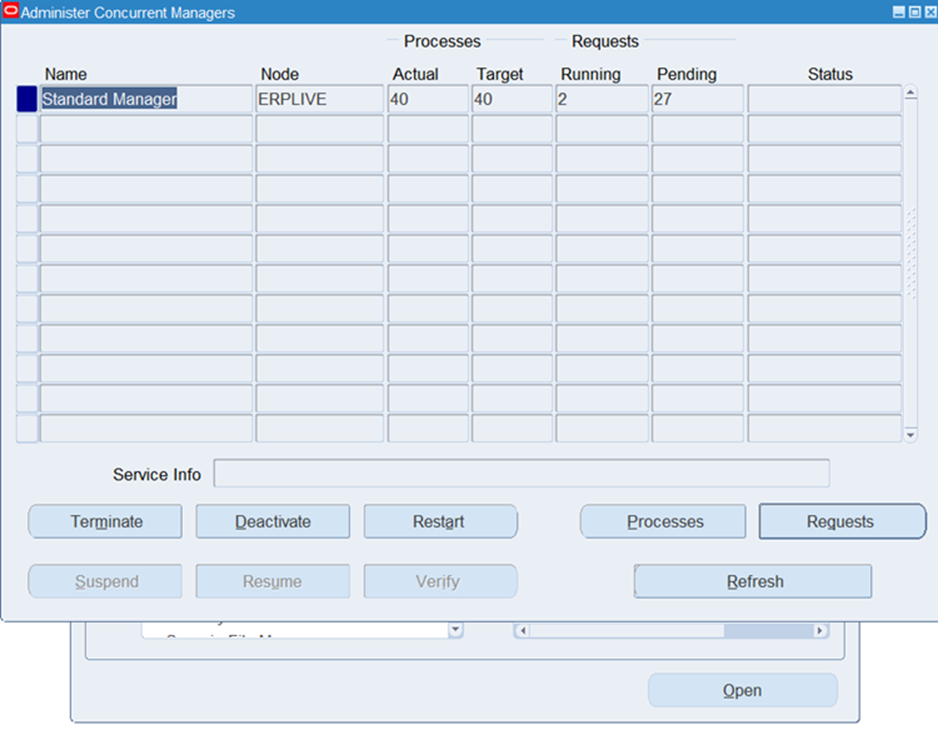
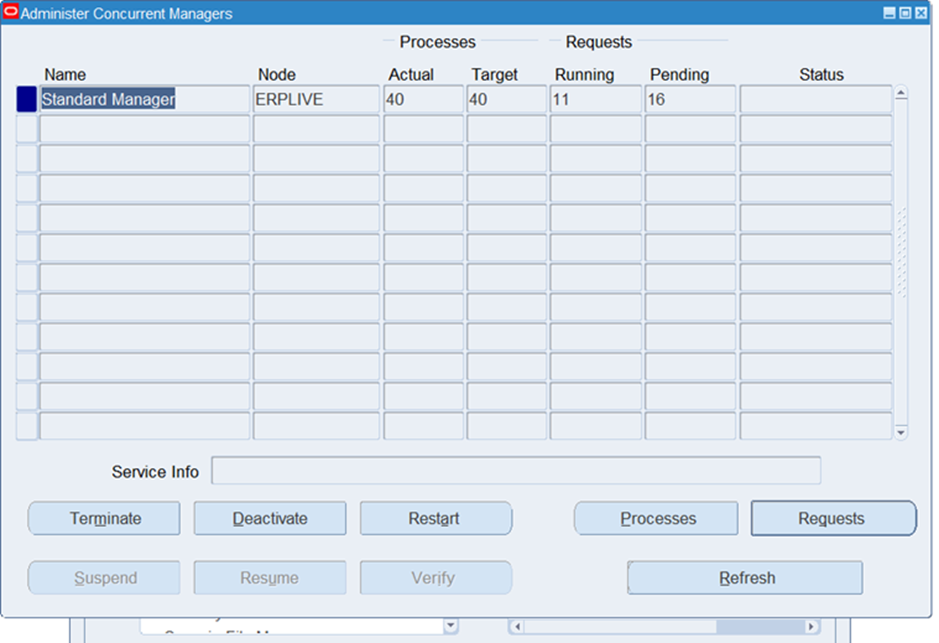
Recently, I encountered a situation where both the OPP and Standard Manager were showing a high number of pending requests, even though the system appeared otherwise healthy.
In this blog, I’ll walk you through the step-by-step troubleshooting process and the exact solution that resolved the issue.
ISSUE
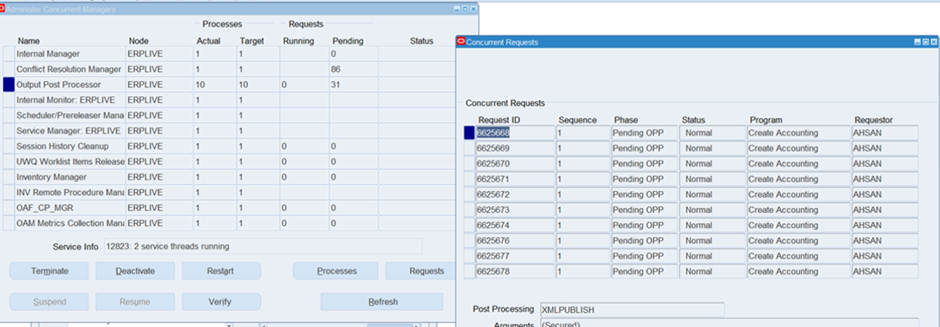
- Output Post Processor ( OPP ) was showing 31 pending requests.
- Standard Manager was showing a high number of pending requests ( initially 85+ ).
- Many requests were stuck in pending phase with Pending OPP status.
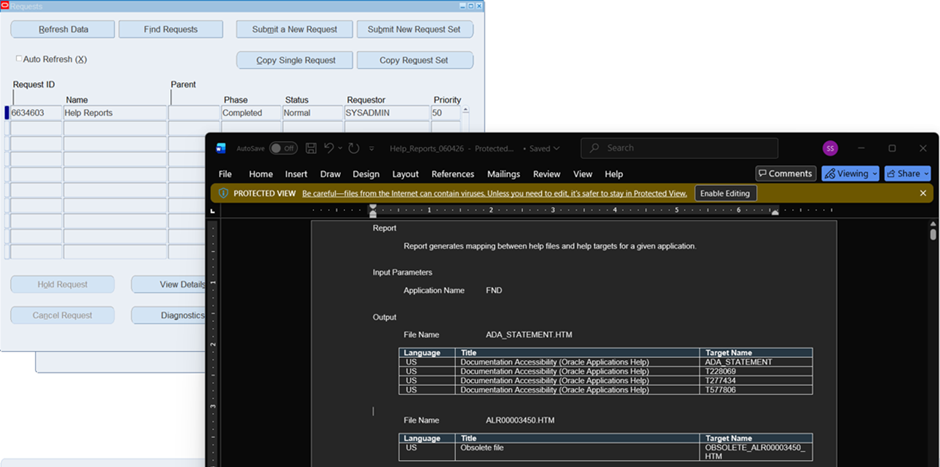
- The Help Reports program was completing normally, indicating that the issue was not with the application tier or database connectivity.
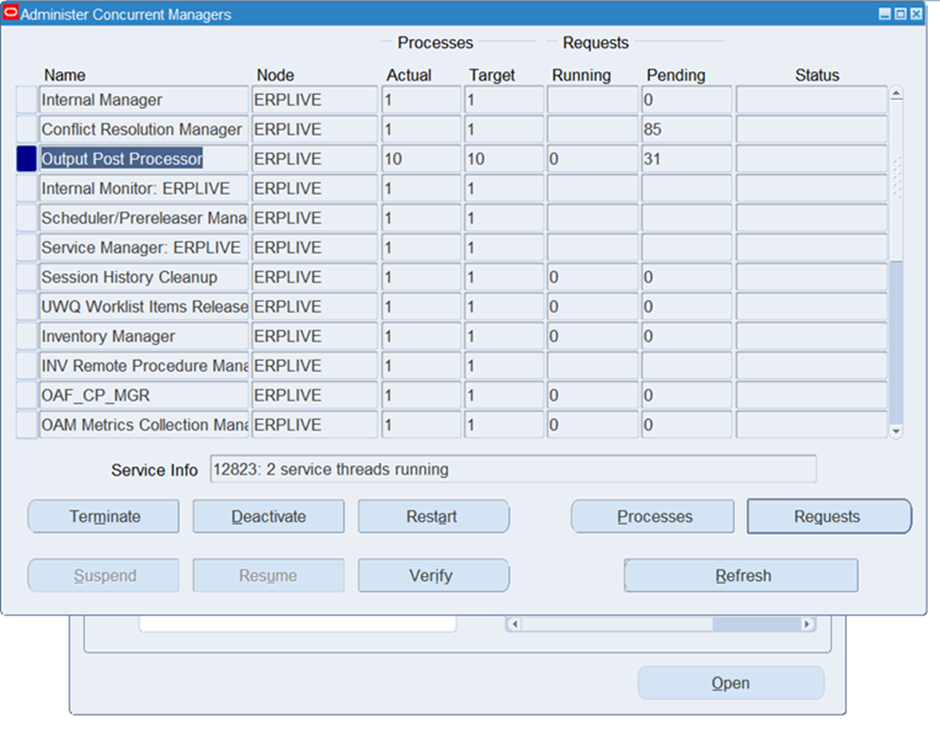
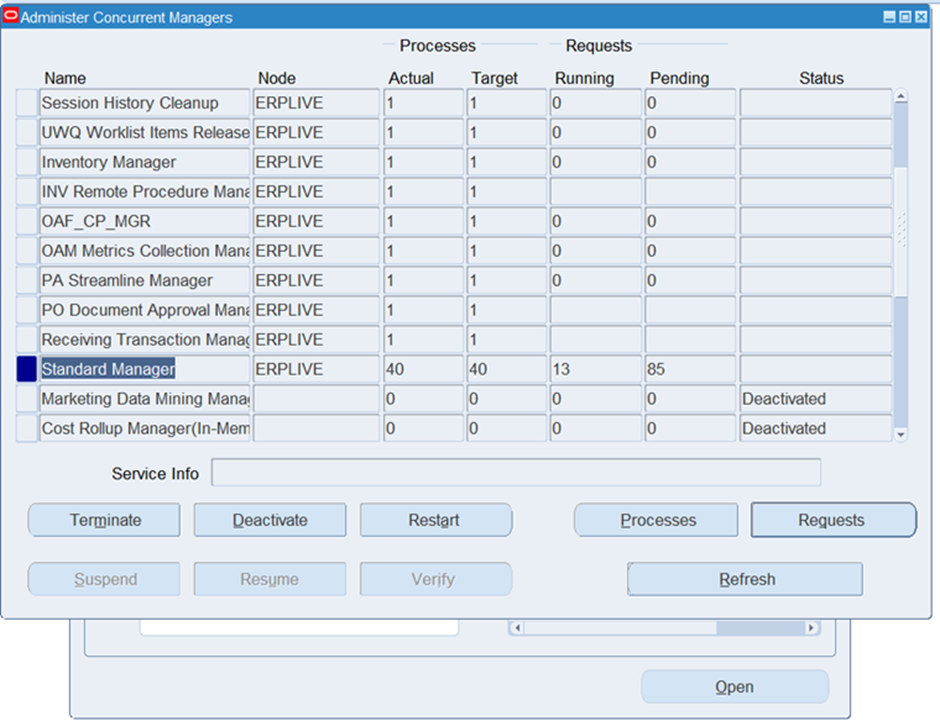
INVESTIGATION
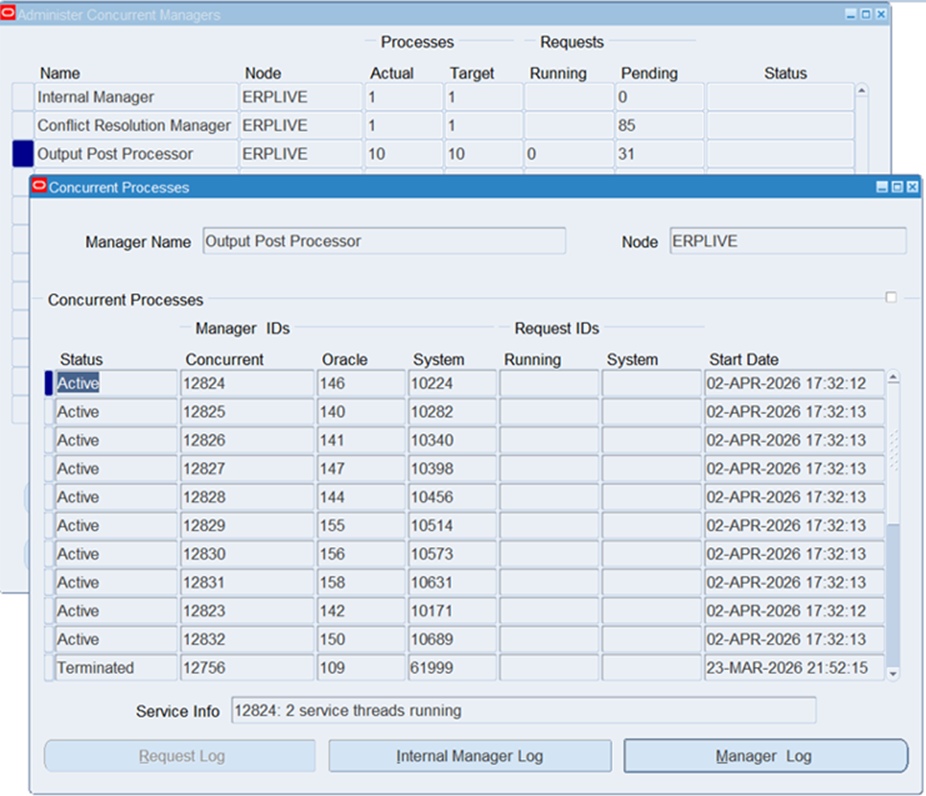
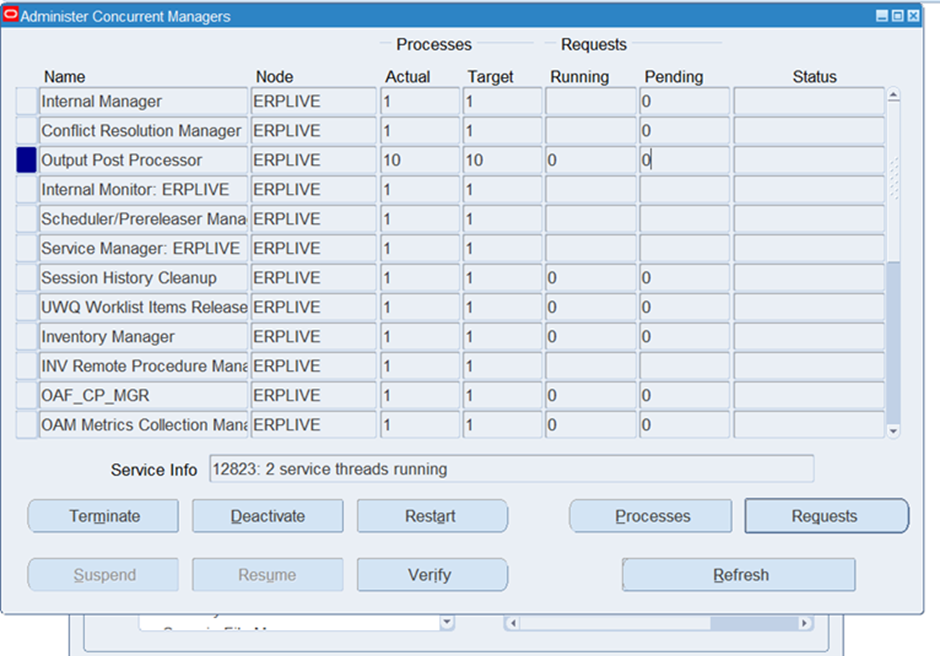
- Checked Concurrent Processes for OPP
I opened the Processes screen for the Output Post Processor and observed that 10 processes were active and running.
- Checked Pending Requests
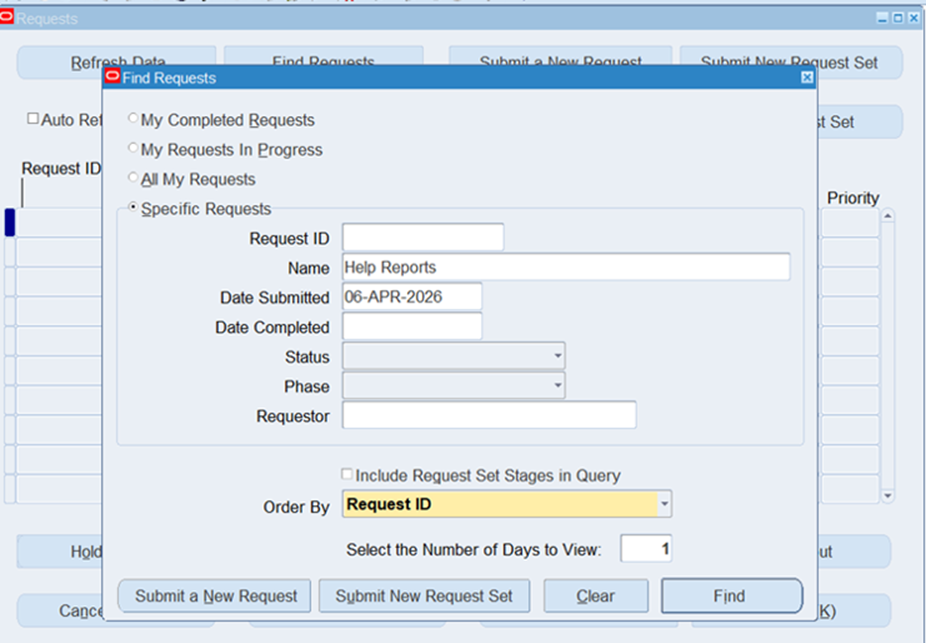
I navigated to Concurrent > Requests and used the Find Requests window to filter requests submitted by me at that moment..
- Reviewed a Sample Request
Help Reports was running normally and produced output successfully.
- Key Observation
Most of the pending requests belonged to a single user (AHSAN) and were related to the Create Accounting program.
Root Cause Analysis
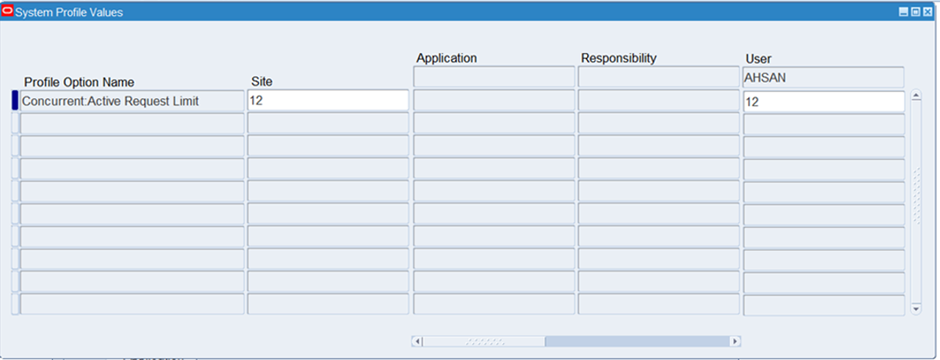
The root cause was identified as the “Concurrent: Active Request Limit” profile option.
- This profile limitis the maximum number of simulteneous active concurrent requests a user can submit.
- The user AHSAN had this limit to 12.
- The user had submitted more than 12 requests in a short period, causing requests to queue up and remain in pending status.
SOLUTION
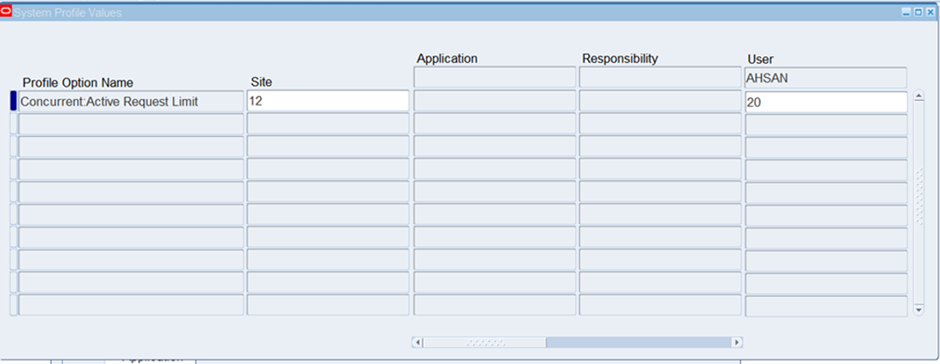
I increased the Concurrent:Active Request Limit profile option for the specific user AHSAN from 12 to 20.
Steps to Change the Profile:
- Log in as System Administrator.
- Navigate to System Administrator > Profile > System.
- Search for profile: Concurrent: Acive Request limit.
- Set the value at user level for AHSAN to 20 ( or a higher appropriate value ).
- Save the changes.
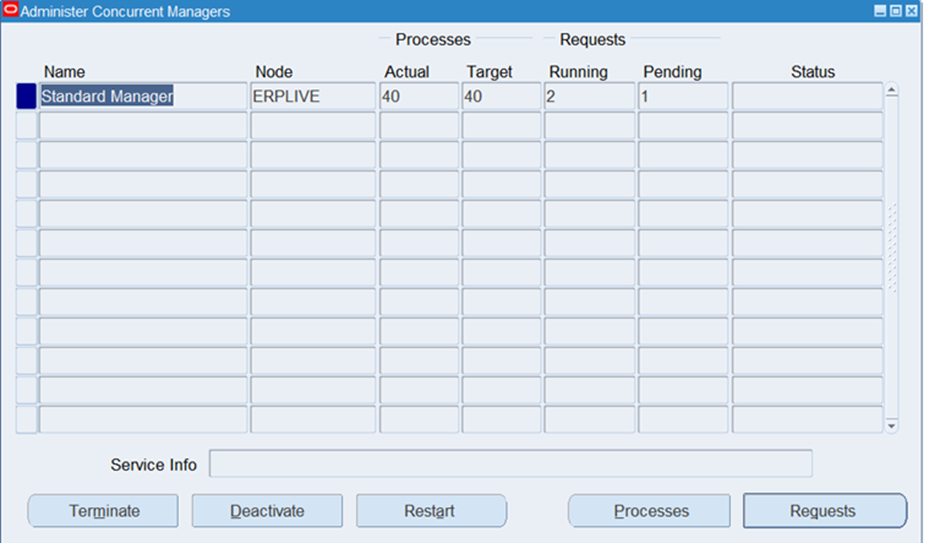
After updating the profile, the pending requests started processing immediately. The number of pending requests in both Standard Manager and OPP began to drop.
Key Learnings & Best Practices
- The Concurrent: Active Request Limit profile is often overlooked but can cause major queuing issues when users submit bulk requests.
- Always check who is submitting the requests and how many are pending against the user.
- For users who frequently run heavy programs like Create Accounting, GL Posting, or mass updates, consider increasing this limit selectively.
- Monitor OPP regularly. it is a critical manager for PDF/XML reports and post-processing.
- keep the number of OPP processes ( TARGET ) sufficient for your workload.
Quick Troubleshooting Checklist for Pending OPP / Standard Manager Issues
| Step | Action | What to Check |
|---|---|---|
| 1 | Check Manager Status | Actual vs Target processes |
| 2 | View Pending Requests | Filter by User, Program, Date |
| 3 | Check User Profile | Concurrent:Active Request Limit |
| 4 | Review OPP Processes | Ensure processes are Active |
| 5 | Check Request Logs | Look for errors in post-processing |
Conclusion
this issue was resolved by adjusting a profile option for the specific user. What looked like a serious concurrent manager problem was actually a user-level concurrency limit restriction.
Always investigate the user and profile settings before restarting managers or making major configuration changes.


 Visit Today : 41
 Visit Yesterday : 34
 This Month : 287
 This Year : 2387
 Total Visit : 9783
 Hits Today : 50
 Total Hits : 12833
 Who's Online : 1